ReverseProxy for IIS 6.0 in CS using ASP.NET: Difference between revisions
| Line 33: | Line 33: | ||
Complete [[ReverseProxy.cs]]. |
Complete [[ReverseProxy.cs]]. |
||
Then redirections which usally occur if you enter e.g. <code><nowiki>http://foo/dir -> http://foo/dir/</nowiki></code> are forwarded to the browser as <code><nowiki>http://sar.informatik.hu- |
Then redirections which usally occur if you enter e.g. <code><nowiki>http://foo/dir -> http://foo/dir/</nowiki></code> are forwarded to the browser as <code><nowiki>http://sar.informatik.hu-berlin.de/test -> http://sar.informatik.hu-berlin.de/test/</nowiki></code> |
||
== Installation == |
== Installation == |
||
Revision as of 08:28, 15 May 2006
Problem to solve
We want to embed content from an internal webserver e.g. http://foo to our public webserver
http://sar.informatik.hu-berlin.de. In particular the frontend request
http://sar.informatik.hu-berlin.de/test/bla.html should get the response for http://foo/dir/bla.html.
Thus the mapping is:
http://sar.informatik.hu-berlin.de/test -> http://foo/dir.
From outside this should be look like a local web directory.
Used Software
IIS Reverse Proxy in particular v1.5.
In that release of software redirections of the backend server are not forwarded transparently to the frontend. Therfore we patched the C-Sharpe code to take care of that. We disabled the internal handling MaximumRedirections = 0; of redirections and send them instead through the frontend to the browser.
The differences are:
38c38
<   	const int MaximumRedirections = 50;
---
> 		const int MaximumRedirections = 0;
357a358,370
> 			switch((int) backEndResponse.StatusCode) {
> 				case 301:
> 				case 302:
> 				case 303:
> 				case 307:
> 					frontEndResponse.StatusCode = (int) backEndResponse.StatusCode;
> 					string newLocation = backEndResponse.Headers["Location"];
> 					newLocation = Regex.Replace(newLocation, backEndSite,
> 						frontEndRequest.Url.GetLeftPart(UriPartial.Authority) + frontEndRequest.ApplicationPath,
> 						RegexOptions.IgnoreCase);
> 					frontEndResponse.RedirectLocation = newLocation;
> 					break;
> 			}
Complete ReverseProxy.cs.
Then redirections which usally occur if you enter e.g. http://foo/dir -> http://foo/dir/ are forwarded to the browser as http://sar.informatik.hu-berlin.de/test -> http://sar.informatik.hu-berlin.de/test/
Installation
Walk through
- Create directory where software lives e.g.
C:\Inetpub\test_virtualand extract archive"\\dc\pub\2006\2006 Software\ReverseProxy_15_SAR.zip"to that directory.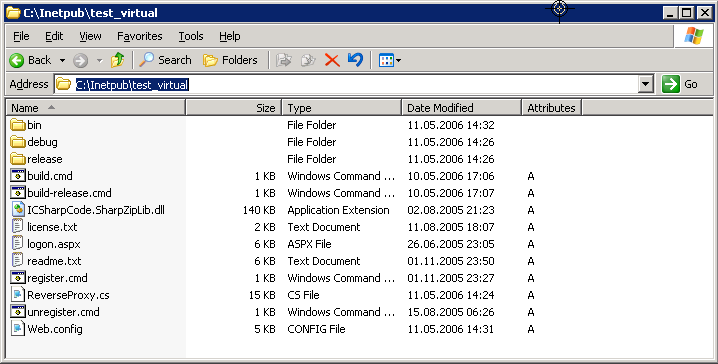
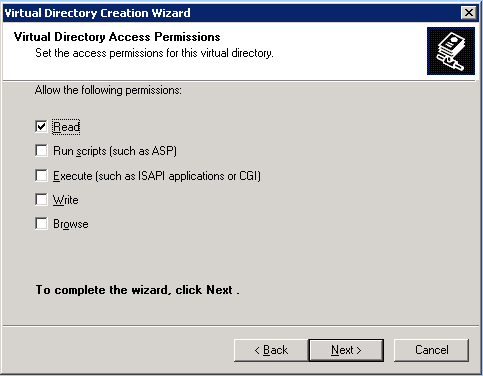
- Create in the IIS MMC a virtual directory
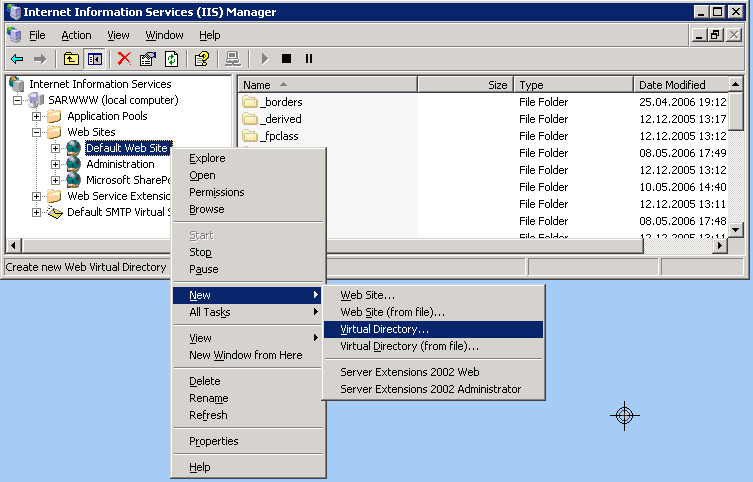
- Give the alias name under which the resource should be reachable by the frontend
test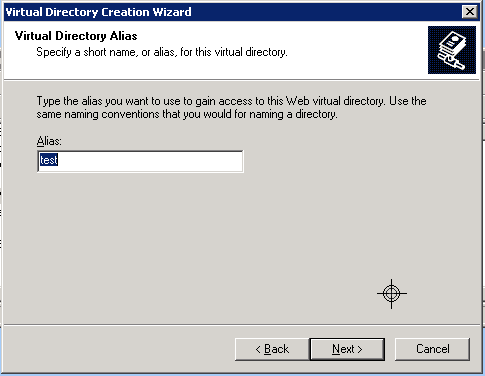
- Select the Web Site Conten Directory
C:\Inetpub\test_virtual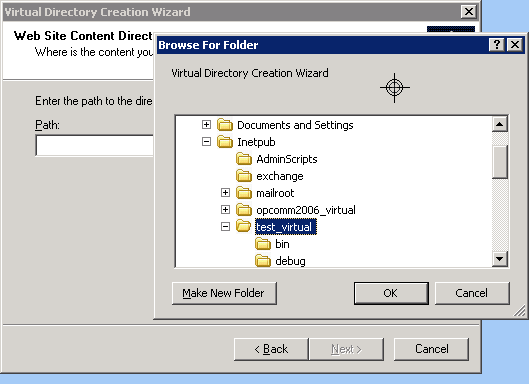
- OK.
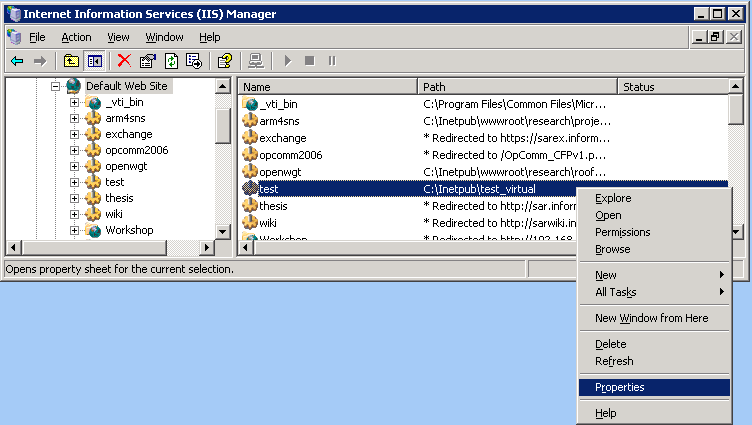
- Check the Properties of the virtual dir.
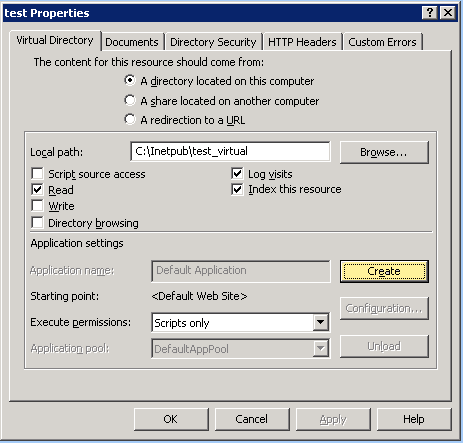
- Press Create.
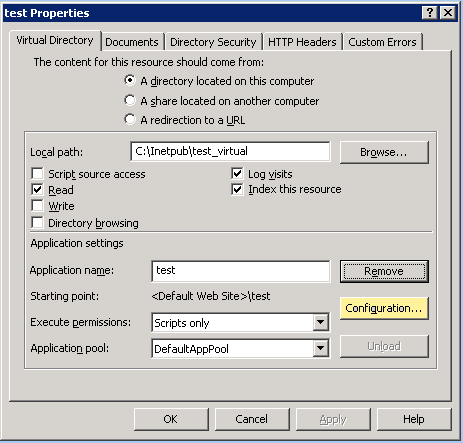
- Press Configuration
- Insert
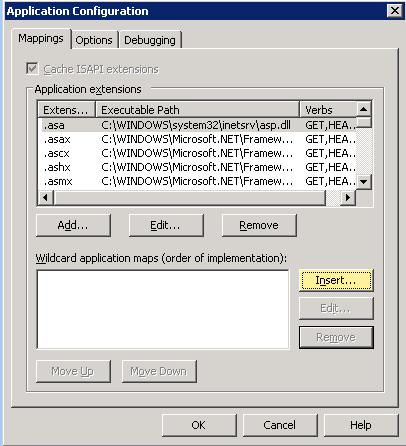
- Enter: Executable
C:\WINDOWS\Microsoft.NET\Framework\v1.1.4322\aspnet_isapi.dlland uncheck "Verify that file exists"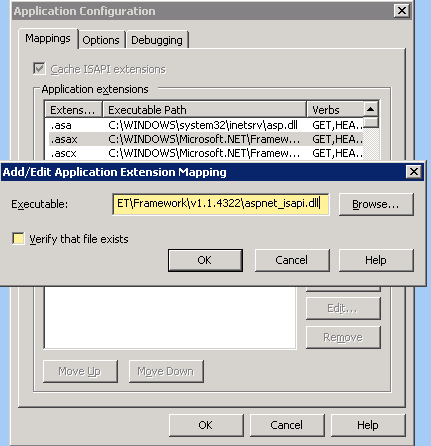
- If you saelect
.asaxand then press Edit it should look like that: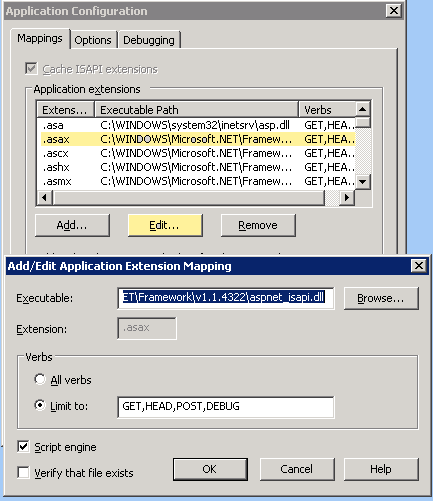
- Open cmd-promt and to register
ICSharpCode.SharpZipLib.dlland runcd C:\Inetpub\test_virtual


C:\Inetpub\test_virtual>C:\WINDOWS\Microsoft.NET\Framework\v1.1.4322\gacutil.exe /i ICSharpCode.SharpZipLib.dll 
- Finallly you have to configure the proxy by editing
C:\Inetpub\test_virtual\Web.config<?xml version="1.0" encoding="utf-8" ?>
<configuration>
<appSettings> <add key="BackEndSite" value="http://foo/dir" /> </appSettings>
<system.web>
...
Uninstalling
- Unregister the gzip-dll by running
gacutil /u ICSharpCode.SharpZipLib.dll. - Remove the virtual directory
testin the IIS-MMC. - Remove the directory
C:\Inetpub\test_virtual.